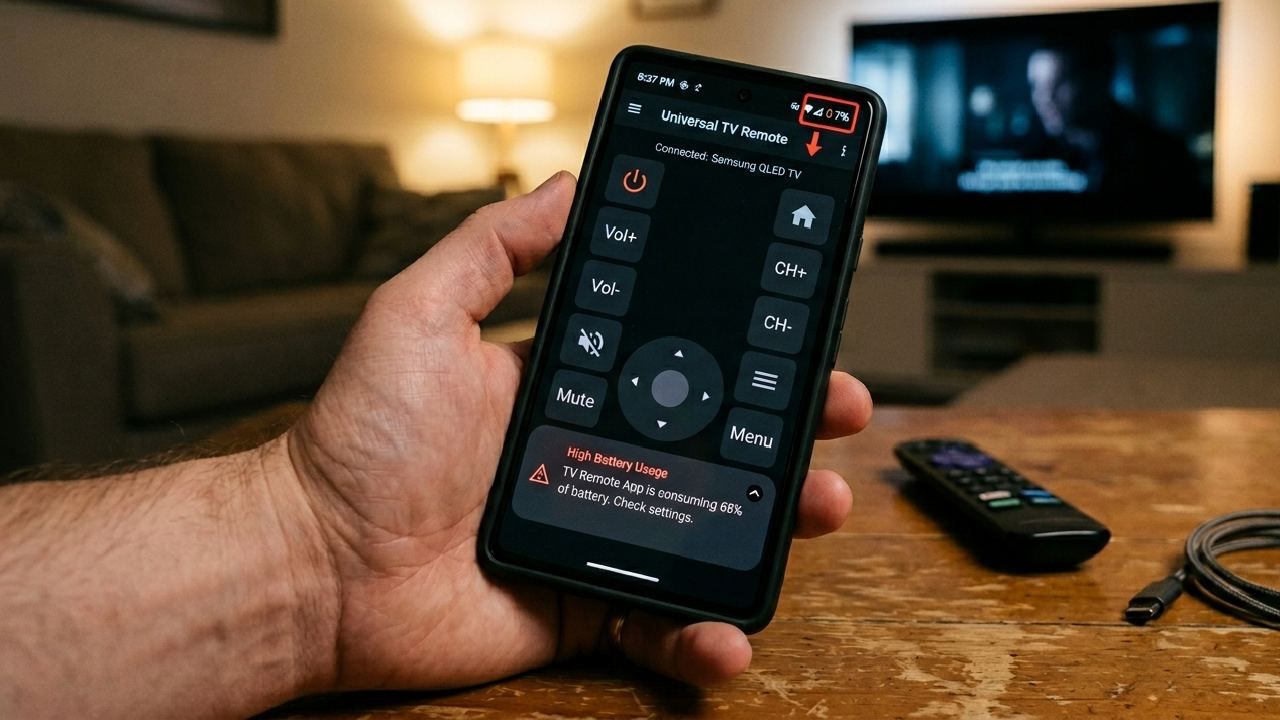
You open your phone to change the channel, adjust volume, or pause a movie. After 15 to 20 minutes, your battery drops more than expected. It feels strange for such a simple task. This is a common case of TV remote app battery drain.
Yes, a TV remote app can use more battery than you expect. The reason is not just the app. It is how your phone handles screen usage, WiFi, and IR signals together. The good part is that each cause has a simple fix. This guide explains what drains your battery and shows you 6 practical ways to fix it right now.
What's Happening Inside Your Phone When You Use a Remote App?
A TV remote app uses your phone in three main ways. Each one consumes power differently.
IR Blaster (Infrared): Phones with IR blasters use an infrared LED to send signals to your TV. Every time you press a button, the LED fires a signal. If you keep pressing the volume or channel buttons, it keeps sending pulses. Each pulse uses a small amount of power. Repeated use increases battery consumption.
WiFi (Smart TV Connection): Smart TVs connect through WiFi. Your phone keeps a live connection with the TV. This means the WiFi radio stays active the whole time. Every command sends small data packets. These packets add up during longer sessions.
Screen-On Time: This is the biggest reason. Your screen stays on the entire time you use the remote. Bright screens consume a lot of battery. In most cases, screen usage drains more power than IR or WiFi.
6 Reasons the TV Remote App Drains Your Phone Battery
1. IR Blaster Overuse: Holding down buttons like volume or channel sends continuous IR signals. This increases power usage quickly during longer presses.
2. WiFi Staying Active in the Background: Even when you stop pressing buttons, the app keeps a connection with your TV. This keeps your WiFi chip active.
3. Screen Brightness and No Auto-Lock: The screen stays on the whole time. High brightness drains battery fast. No auto-lock makes it worse.
4. Running Multiple Apps Together: If you stream videos or run apps in the background, your CPU works harder. This increases battery drain.
5. Weak WiFi Signal: If your signal is weak, your phone uses more power to stay connected. Distance from the router makes a big difference.
6. Outdated App or Phone Software: Older versions may not be optimized. They can run extra processes that consume battery.
How to Fix TV Remote App Battery Drain: 6 Practical Solutions
Fix 1: Reduce Screen Brightness While Using the App: Lower the brightness to around 30-40%. You only need to see buttons clearly. Turn on auto-lock at 30 seconds. This reduces unnecessary screen time and quickly saves battery.
Fix 2: Use WiFi Instead of IR Wherever Possible: If you have a Smart TV, switch to WiFi mode. WiFi transmits data efficiently rather tha repeated IR pulses. The connection is fast and stable. This reduces battery usage during longer sessions. You can learn more about this in our guide on IR Blaster vs WiFi
Fix 3: Close Background Apps Before Using the Remote: Clear all unnecessary apps before launching the remote. This frees up system resources. Your phone focuses on one task, reducing battery usage.
Fix 4: Move Closer to Your WiFi Router: Stay within a strong signal range. A stable connection reduces the effort your phone has to make to communicate. This saves power and improves response time. If your connection drops often, check this guide on the TV remote app keeps disconnecting
Fix 5: Keep the App Updated: Always use the latest version. Updates improve performance and battery efficiency. Recent updates focus on faster TV detection and lower power usage.
Fix 6: Enable Battery Saver Mode on Your Phone: Turn on Battery Saver or Low Power Mode. This limits background activity. It keeps your remote working while reducing extra battery consumption.
Is the Universal TV Remote Control App Battery-Friendly?
The Universal TV Remote Control app is designed for efficiency. It supports both WiFi and IR modes, so you can choose the best option for your device.
The interface is simple and clean. It does not overload your screen with heavy graphics. This reduces GPU usage and saves battery.
The app does not collect background data. There is no hidden syncing or tracking running behind the scenes. This means no silent battery drain.
Millions of users rely on it daily. Smooth performance and low battery impact are part of its design.
Quick Battery-Saving Checklist for TV Remote App Users
- Lower screen brightness before opening the app
- Use WiFi mode for Smart TVs
- Use IR only when needed
- Close background apps
- Stay near your WiFi router
- Keep the app updated
- Turn on Battery Saver mode
- Set auto-lock to 30 seconds
Final Thoughts
Battery drain from a remote app is real, but it is easy to manage. The main causes are screen usage, WiFi activity, and IR signals. Once you understand them, fixing the issue becomes simple.
The Universal TV Remote Control app offers a balanced and efficient experience. It uses WiFi for Smart TVs, avoids background data usage, and stays optimized with updates.
If you want a smooth and battery-friendly experience, you can download the app free here: Google Play Store & Apple Store
FAQs
Q1. Does a TV remote app drain more battery than regular phone use?
A: Yes, it can. Screen usage and IR signals increase battery consumption. Simple changes like lowering brightness can reduce the impact.
Q2. Does the IR blaster use a lot of battery?
A: It uses small bursts of power. Occasional use is fine. Continuous button pressing increases battery usage.
Q3. Does using WiFi drain less battery than IR?
A: Yes. WiFi is more efficient for longer sessions. It sends small data packets instead of repeated signals.
Q4. Why does my phone get warm when using a remote app?
A: Heat comes from screen usage, WiFi activity, and processing. Reduce brightness and close background apps to control it.
Q5. Is the Universal TV Remote Control app safe for battery health?
A: Yes. It does not run background processes or collect data. Normal use does not affect long-term battery health.