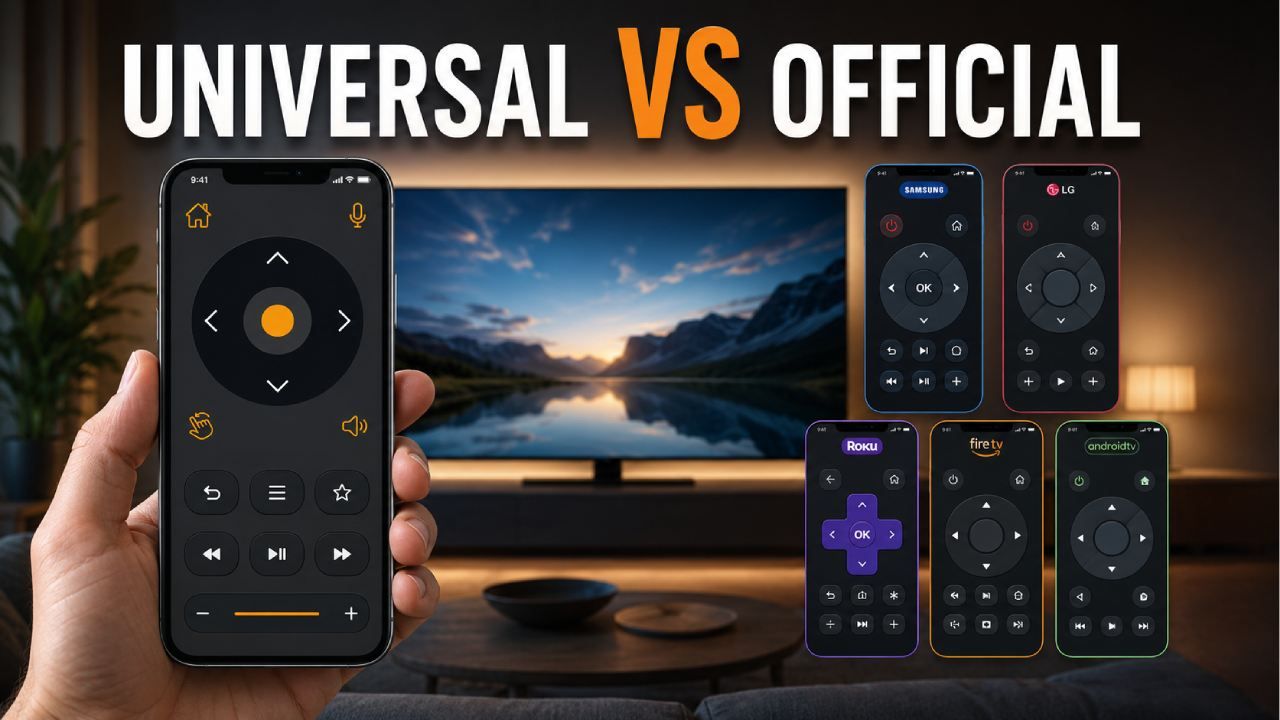
Choosing between a universal TV remote app and an official brand remote app can be confusing because both options seem useful at first.
If you have a Samsung TV, Samsung SmartThings may look like the obvious choice. If you use Roku, the Roku app may feel enough. If you have Fire TV, Google TV, or LG webOS, each brand also offers its own remote app or control option.
The problem starts when your home has more than one TV brand. You may have a Samsung TV in the living room, an LG TV in the bedroom, a Roku TV in another room, and an older TV that still works with infrared. In that case, installing a different app for every TV becomes annoying very quickly.
That is where Universal TV Remote Control becomes a practical choice. It supports more than 700 TV brands, has more than 130 million downloads, and is used in more than 100 countries. It also supports WiFi and IR connectivity, keyboard input, D Pad navigation, voice control features, and a simple user friendly interface.
This guide compares Universal TV Remote Control with official brand remote apps for Samsung, LG, Roku, Fire TV, Android TV, and Google TV users so you can decide which option fits your everyday TV use better.
Why Does My TV Remote App Say "No TV Found"? Fix Samsung, LG, Roku, Fire TV and Android TV
Quick Answer: Which Remote App Should You Choose?
You should choose Universal TV Remote Control if you want one app for multiple TV brands, while an official brand remote app is better if you only use one TV ecosystem.
Official apps can be useful when you have only one TV brand at home. For example, if every TV in your house is Samsung, SmartThings may be enough. If you only use Roku devices, the Roku app may cover your basic needs.
But most homes are not that simple. Many people have different TV brands, streaming devices, and older televisions. In that case, Universal TV Remote Control is usually more convenient because it gives you one place to control many supported TVs.
It is especially useful when your physical remote is lost, when you want faster typing, when you need D Pad navigation, or when you want both WiFi and IR control options.
What Is the Main Difference Between a Universal TV Remote App and an Official Brand Remote App?
The main difference is that an official brand remote app is usually made for one TV brand, while Universal TV Remote Control is made to work with many supported TV brands from one app.
Official remote apps are normally designed around one company’s ecosystem. Samsung SmartThings focuses on Samsung devices. LG ThinQ focuses on LG products. Roku and Fire TV apps are built mainly for their own platforms.
This can work well when your setup is simple. But if you use different brands at home, the experience becomes less convenient. You may need one app for Samsung, another for LG, another for Roku, and another for Fire TV.
Universal TV Remote Control takes a broader approach. It supports more than 700 TV brands and gives users WiFi and IR control options. That makes it more useful for people who want one remote app instead of several brand specific apps.
Official apps usually offer deeper brand features. Universal TV Remote Control focuses more on everyday convenience, wider compatibility, and easier access across different TVs.
Universal TV Remote Control vs Official Brand Apps: Feature Comparison
Universal TV Remote Control is often more flexible for daily TV control because it combines wide brand support, WiFi control, IR control, keyboard input, D Pad navigation, and voice control features in one app.
Here is a simple comparison.
| Feature | Official Brand Remote Apps | Universal TV Remote Control |
|---|---|---|
| Brand support | Usually limited to one brand or platform | Supports more than 700 TV brands |
| WiFi control | Usually available for smart TVs in that ecosystem | Available for supported smart TVs |
| IR control | Usually limited or unavailable | Supported on compatible Android phones with IR blaster |
| Keyboard input | Depends on the brand app | Available for faster typing |
| D Pad navigation | Usually available | Available for menu control |
| Voice control | Depends on brand and model | Voice control features available where supported |
| Multiple TV brands | Requires separate apps | One app for many supported brands |
| Older TV support | Often not supported | Possible through IR on compatible phones |
| Setup style | May require brand account or ecosystem setup | WiFi or IR based setup depending on TV |
| Best for | Single brand users | Multi brand homes and replacement remote use |
The best option depends on your situation. If you want brand specific smart home features, an official app may be helpful. If you want practical TV control across different brands, Universal TV Remote Control is usually the easier choice.
Samsung SmartThings vs Universal TV Remote Control
Samsung SmartThings is useful for Samsung ecosystem users, but Universal TV Remote Control is better when you also need to control other TV brands.
SmartThings can be a good option if you already use Samsung products at home. It can connect with Samsung TVs, appliances, and other smart devices. For someone fully inside the Samsung ecosystem, that can be useful.
But not every Samsung TV user wants a full smart home app. Many people simply want to change channels, adjust volume, open menus, type in search fields, and replace a missing remote.
Universal TV Remote Control is more practical in that situation, especially if your home also has LG, Roku, TCL, Hisense, Sony, Fire TV, Android TV, or another brand. Instead of keeping SmartThings for Samsung and other apps for other TVs, you can use one app for many supported devices.
For Samsung users who only need simple remote control, D Pad navigation, keyboard input, and broader brand support, Universal TV Remote Control can feel more direct.
LG ThinQ vs Universal TV Remote Control
LG ThinQ can be useful for LG webOS TV users, but Universal TV Remote Control is easier to justify when you need support beyond LG.
LG ThinQ is designed for LG products. If your home is built around LG devices, it may offer useful features. It can work well for people who want LG specific controls and smart home options.
The limitation is that LG ThinQ is not made to be your remote solution for every TV brand. If you also own a Samsung TV, Roku TV, Android TV, or older infrared TV, you may still need other apps.
Universal TV Remote Control is useful because it focuses on wider TV compatibility. It gives users one app for many supported brands and includes features that help with daily use, such as keyboard input and D Pad navigation.
This matters when you are typing a long WiFi password, searching for a movie, logging into a streaming app, or navigating TV settings. A simple remote interface can save a lot of time.
Roku Mobile App vs Universal TV Remote Control
The Roku mobile app is a strong choice for Roku users, but Universal TV Remote Control is better for homes that use Roku along with other TV brands.
The Roku app works well when your main device is a Roku TV or Roku streaming device. It is built for that platform and can be convenient for people who only use Roku.
The issue appears when Roku is only one part of your setup. Many users have a Roku TV in one room, a Samsung TV in another, and an LG or Android TV somewhere else. In that case, the Roku app only solves part of the problem.
Universal TV Remote Control gives you a wider solution. It can help you manage supported TVs from many brands without switching between separate apps.
For Roku users, D Pad navigation and keyboard input are especially useful. Searching for channels, typing passwords, and entering account details can be much easier on a phone than with a physical remote.
Fire TV App vs Universal TV Remote Control
The Fire TV app is helpful for Fire TV devices, but Universal TV Remote Control is more useful when you need to control the actual TV and not only the streaming device.
Fire TV users often deal with two layers of control. One layer is the Fire TV device itself. The other is the television connected to it. The Fire TV app may help you navigate the Fire TV interface, but it may not always solve TV brand related needs like input control, volume behavior, or support for other TVs in your home.
Universal TV Remote Control is a better fit when you want broader TV control. For example, you may use a Fire TV Stick with a Samsung TV in the living room and an LG TV in another room. A Fire TV focused app will not be the best remote solution for that whole setup.
Universal TV Remote Control supports many TV brands and gives users WiFi and IR options, depending on the phone and TV. That makes it more practical for people who want one remote app for both streaming and general TV use.
Google TV Remote vs Universal TV Remote Control
Google TV remote features are useful for Android TV and Google TV devices, but Universal TV Remote Control is better when your home includes different TV platforms.
Google TV and Android TV are popular on brands like Sony, TCL, Philips, Xiaomi, and many other models. If your main TV runs Google TV or Android TV, the built in remote features can be helpful.
But the limitation is similar to other official options. Google TV remote features are not designed to control every TV brand in your home. If you also use Roku, Fire TV, Samsung, LG, or an older infrared TV, you may need additional apps or remotes.
Universal TV Remote Control is more flexible because it supports many brands and offers both WiFi and IR connectivity. It can be useful for Android TV and Google TV users who want one app that also works with other supported televisions.
For families with mixed TV setups, this wider compatibility is often more valuable than staying inside one platform.
Which App Is Better for Multi Brand Homes?
Universal TV Remote Control is usually better for multi brand homes because it supports more than 700 TV brands from a single app.
A common home setup is no longer limited to one TV brand. The living room may have a Samsung TV. The bedroom may have a Roku TV. The kids room may have an Android TV. An older TV may still work through IR.
Using one official app for each device can become messy. You have to remember which app controls which TV. You may also need different accounts, permissions, and setup steps.
Universal TV Remote Control makes this easier by bringing many supported brands into one app. With more than 130 million downloads and users in more than 100 countries, it is built for people who want a simple remote option that works across different TV setups.
For multi brand homes, that convenience is the biggest advantage.
Which App Is Better If Your Physical Remote Is Lost or Broken?
Universal TV Remote Control is often more practical when your physical remote is lost or broken because it gives you both WiFi and IR control options for supported TVs.
Official apps can help if your TV is already connected to WiFi and the brand app supports your model. But if you do not know which official app to install, or if you have more than one TV brand, the process can become frustrating.
Universal TV Remote Control gives users one place to start. For smart TVs, WiFi control may work when the TV and phone are on the same network. For compatible Android phones with an IR blaster, IR control may also work with supported televisions.
This is useful when the original remote is missing, damaged, or no longer responding. Instead of buying a replacement immediately, many users can try phone based control first.
Which App Is Better for Typing, Searching, and Navigation?
Universal TV Remote Control can be more convenient for typing, searching, and navigation because it includes keyboard input and D Pad controls.
Typing with a physical TV remote can be slow. Entering an email address, WiFi password, or streaming login can take far longer than it should. Some official apps include keyboard features, but the experience depends on the brand and device.
Universal TV Remote Control gives users keyboard input for supported TVs, which can make everyday tasks easier. It also includes D Pad navigation for moving through TV menus, apps, settings, and search screens.
This is helpful for YouTube searches, Netflix logins, WiFi setup, app store searches, and general TV navigation.
For users who mainly want faster control without learning a complicated app, this is a strong reason to choose a universal remote solution.
Which App Is Better for Older or Non Smart TVs?
Universal TV Remote Control is better for compatible older or non smart TVs when the Android phone has an IR blaster and the TV supports infrared commands.
Most official remote apps depend on smart TV features and WiFi connectivity. That means they usually do not help much with older televisions that do not connect to the internet.
IR works differently. It sends infrared signals from the phone to the TV, similar to a traditional remote. It does not require the TV to be connected to WiFi.
Universal TV Remote Control supports IR connectivity on compatible Android phones. This can be useful for older TVs, non smart TVs, and situations where WiFi control is not available.
It is important to be honest here. IR control depends on phone hardware and TV compatibility. iPhones do not include IR blasters, and not every Android phone has one. But when the hardware is supported, IR can be a very useful option.
Which App Is Easier to Set Up?
Universal TV Remote Control can be easier for users who want one app for different TVs, while official apps may be easier for users already using one brand ecosystem.
Official apps sometimes require account login, device registration, permissions, and brand ecosystem setup. This is not always difficult, but it can feel unnecessary if the user only wants basic remote control.
Universal TV Remote Control focuses on direct TV control through WiFi or IR, depending on the device and TV. For smart TVs, the phone and TV usually need to be on the same WiFi network. For IR control, the phone needs a compatible IR blaster.
The setup experience depends on the TV model, phone type, and network. But for users with several TV brands, one universal app can be easier than installing and managing different official apps.
When Should You Use Official Brand Remote Apps?
You should use official brand remote apps when you only own one TV brand and want features made specifically for that brand ecosystem.
Official apps are not useless. They can be a good choice in the right situation.
Samsung SmartThings can be helpful if you use Samsung devices across your home. LG ThinQ may suit users who own multiple LG products. The Roku app is useful for Roku only households. The Fire TV app works well for Fire TV users. Google TV remote features are helpful for supported Android TV and Google TV devices.
If you only need control inside one ecosystem, the official app may be enough.
The main limitation appears when your setup includes multiple brands. That is when a universal remote app becomes more practical.
When Should You Use Universal TV Remote Control?
You should use Universal TV Remote Control when you want one remote app for many supported TV brands, need WiFi and IR options, or want a simple way to control TVs without switching apps.
It is especially useful for homes with different TV brands. It is also helpful when the physical remote is lost, when typing with a TV remote feels too slow, or when you want D Pad navigation from your phone.
Universal TV Remote Control is also a strong option for users who want wider compatibility. With support for more than 700 TV brands, more than 130 million downloads, users in more than 100 countries, WiFi and IR connectivity, keyboard input, D Pad navigation, voice control features, and a user friendly interface, it covers many everyday remote control needs.
For most mixed TV households, that makes it a more practical daily remote app than using a separate official app for each brand.
Final Verdict: Universal TV Remote App or Official Brand Remote App?
Universal TV Remote Control is the better everyday choice for users who want broader compatibility, while official brand remote apps are better for people who only use one brand ecosystem.
If your home has only one TV brand and you want brand specific smart home features, the official app may be enough.
But if you have Samsung, LG, Roku, Fire TV, Android TV, Google TV, or other supported brands in the same home, Universal TV Remote Control is usually more convenient. It reduces the need for multiple apps and gives you WiFi and IR connectivity, keyboard input, D Pad navigation, voice control features, and a clean interface.
The final choice is simple. Use the official app when your setup is limited to one brand. Use Universal TV Remote Control when you want one practical remote app for many supported TVs.
Frequently Asked Questions
Is a universal TV remote app better than an official brand remote app?
A universal TV remote app is better if you use multiple TV brands or want one app for different TVs, while an official app may be better if you only use one brand and need brand specific features.
Does Universal TV Remote Control work with Samsung, LG, Roku, Fire TV and Android TV?
Universal TV Remote Control supports more than 700 TV brands and models, including many popular smart TV and streaming device platforms. Compatibility can depend on the TV model, phone type, WiFi setup, and IR support.
Do official TV remote apps work without WiFi?
Most official TV remote apps require WiFi or a smart TV connection. They usually do not work with older TVs unless the TV supports their ecosystem or connection method.
Can Universal TV Remote Control replace a physical remote?
Universal TV Remote Control can replace a physical remote for many supported TVs through WiFi or IR connectivity. IR control requires a compatible Android phone with an IR blaster.
Which remote app is best for a home with multiple TV brands?
Universal TV Remote Control is usually better for homes with multiple TV brands because it supports more than 700 TV brands and reduces the need to install separate apps for every television.