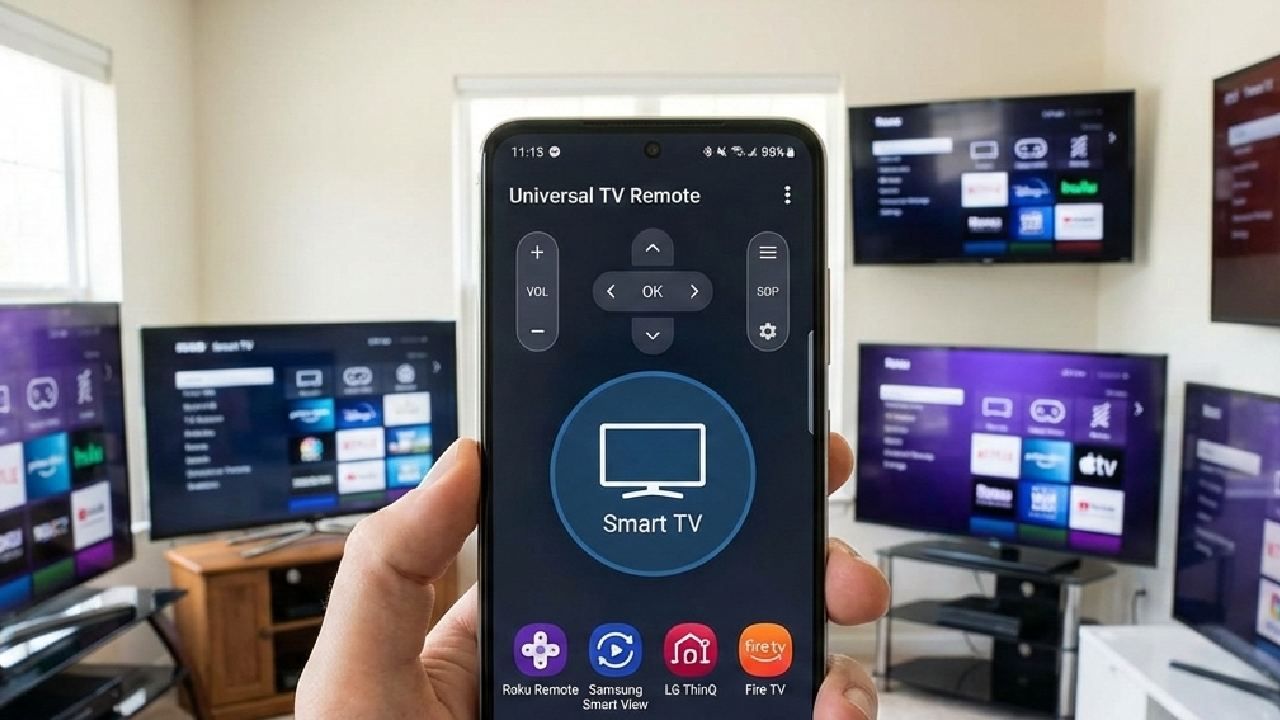
In 2026, having the best universal TV remote app means controlling any TV from your phone with no lost remote, no complex pairing, and no limitations.
Here, the Universal TV Remote Control app by Codematics is the best choice in 2026 due to its unmatched compatibility, intuitive interface, voice control support, and global reliability.
With 125+ million downloads, being used in 100+ countries, and support for 700+ TV brands, this mobile app beats competitors in performance, ease of use, and functionality.
This guide will compare the top mobile applications belonging to TV remote functionality and determine which one stands out as the best in 2026. Let's start,
Why a Universal TV Remote App Is Essential in this Advanced Era?
A universal TV remote app actually replaces physical remote controls and simplifies TV operation.
Today, people use multiple devices, including TVs, set-top boxes, and streaming sticks. A single app that supports all brands and interfaces (IR or Wi-Fi) reduces clutter and confusion. Whether your TV is smart or standard IR-based, you can control it directly from your smartphone.
Top Contenders in 2026
Apps Brands Voice Control IR & WiFi User Rating
Universal TV Remote Control 700+ ✔️ ✔️ ⭐⭐⭐⭐☆
Remote Master 500+ ❌ ✔️ ⭐⭐⭐☆
Smart Remote Hub 350+ ✔️ Wi-Fi ⭐⭐⭐⭐
TV Remote+ 400+ ❌ ✔️ ⭐⭐☆☆
Multi-Brand Remote 600+ Partial IR only ⭐⭐⭐☆
Here, Universal TV Remote Control leads thanks to broader device coverage, reliable performance, and advanced features like voice control.
Which App Is Best for Your TV?
Deciding on the app solely depends on your needs and requirements, but here’s a quick guide to matching the use cases.
- For Most Users: Universal TV Remote Control is the best balance of features, compatibility, and usability.
- For Voice-Centric Users: Choose an app with reliable voice integration; this one ranks top.
- For Offline Use: Always pick a remote with IR support.
- For Smart TVs: Wi-Fi-based apps work well, but Wi-Fi + IR is ideal.
How to Install and Use the Best Universal TV Remote App
It only takes a minute to set up and start controlling your TV.
- Download the app
Android: Play Store link
iPhone: App Store link
- Open the app and grant permissions
- Select your TV brand
- Let the app detect your TV
- Begin using touch controls or voice commands
There is no need for extra devices or cables.
Key Features Compared
1. Brand Compatibility
The broader the supported brands, the more versatile the app.
The Universal TV Remote Control app supports over 700 TV brands, more than any competitor. Whether you have Samsung, Sony, LG, TCL, Hisense, Philips, or lesser-known brands, it's likely supported.
Competitors often lack support for regional or obscure TV manufacturers, making universal coverage a significant advantage.
2. Voice Control Support
Voice control simplifies interaction and improves accessibility.
Unlike many apps that rely only on buttons or touch gestures, the Universal TV Remote Control app includes a robust voice control feature. You can say:
“Turn the volume up.”
“Open Netflix”
“Switch to HDMI 2”
This convenience is especially helpful for users with motor challenges or families with kids.
3. Easy to Connect
Fast, hassle-free TV pairing saves users time.
The process should be quick — and this app delivers. Once installed, the app automatically detects TVs via Wi-Fi or IR blaster, depending on your phone’s hardware. No manual setup menus or confusing codes.
Most competitors require manual brand scanning or repeated attempts before pairing.
4. User-Friendly Interface
A simple UI enhances usability for all age groups.
This app is designed for everyday users — from tech beginners to seasoned users. The interface is clean, uncluttered, and intuitive. Common controls (power, volume, channel, navigation) are front and center.
Many alternatives feel crowded or inconsistent, making them harder to use.
5. Offline & Online Control
The best remote apps work even without an internet connection.
Because the Universal TV Remote Control supports IR and Wi-Fi, you can use it even when your internet is down. Apps that rely solely on Wi-Fi won’t work offline, which reduces reliability.
6. Security and Privacy
Secure apps protect user data and network integrity.
The top universal remote app should not collect unnecessary data or access sensitive permissions without a good reason.
The Universal TV Remote Control app requires only essential permissions (Bluetooth/IR). It doesn’t store personal information or track user activities.
In contrast, some alternatives require excessive permissions, raising privacy concerns.
Conclusion
In 2026, the Universal TV Remote Control app by Codematics stands out as the best universal TV remote solution thanks to its extensive brand support, voice control, easy connectivity, and intuitive user experience. Whether you’re switching channels, adjusting volume, or launching apps, it’s faster and more reliable than alternatives.
Download it today and simplify your TV control experience — no matter the brand or country.
FAQs
Q1. Can I use the universal remote app with every TV model?
A: Most modern and legacy TVs are supported, including smart and non-smart TVs — thanks to support for both IR and Wi-Fi controls.
Q2. Does it work without an internet connection?
A: Yes. Using IR functionality, most remote features work offline without an internet connection.
Q3. Is voice control available on older phones?
A: Voice control requires a microphone and a compatible OS. Most modern Android and iOS phones support this feature.
Q4. Do I need extra hardware, like a dongle, to use the app?
A: No additional hardware is needed if your phone has an IR blaster or connects through Wi-Fi.
Q5. How secure is the App? Can it access my personal data?
A:The app requests only essential permissions for remote functionality. It doesn’t collect personal data or track usage beyond what's needed for remote control.