Smart TV remote apps have become an essential part of modern home entertainment. Whether you are adjusting volume, changing channels, browsing streaming platforms, or typing search queries, a TV remote app is often more convenient than a traditional remote.
However, many users experience issues such as delayed responses, connection failures, or the dreaded "No TV Found" error. In many cases, the problem is not the app itself. The issue is often related to the WiFi network being used by the phone and the TV.
A common question is whether devices should use a 2.4 GHz or 5 GHz WiFi network for the best TV remote app performance. The answer depends on your home setup, distance from the router, and network conditions.
This guide explains the differences between 2.4GHz and 5GHz WiFi and helps you choose the best option for your TV remote app.
What Is the Difference Between 2.4GHz and 5GHz WiFi?
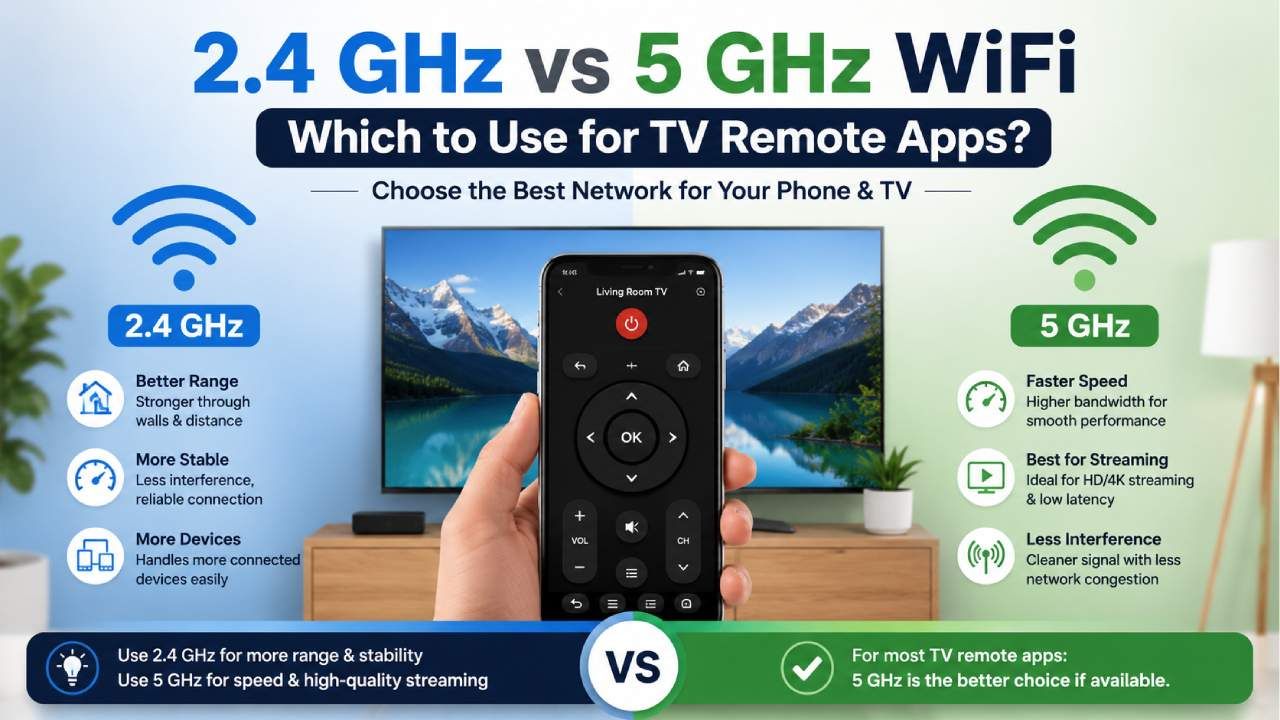
The difference between 2.4GHz and 5GHz WiFi is that 2.4GHz offers a longer range while 5GHz provides faster speeds.
Modern routers usually broadcast two separate wireless bands. While both connect devices to the internet and the local network, they perform differently.
2.4GHz WiFi
2.4GHz WiFi is designed for wider coverage and stronger signal penetration through walls and obstacles.
Key characteristics include:
Longer wireless range
Better performance through walls
More stable at greater distances
Lower maximum speeds
More interference from household devices
5GHz WiFi
5GHz WiFi is designed for higher speeds and lower interference in nearby locations.
Key characteristics include:
Faster data transfer rates
Lower latency
Less network congestion
Shorter range
Reduced performance through walls
For TV remote apps, speed is rarely the most important factor. Reliable communication between the TV and phone matters more.
My Phone Has No IR Blaster - Can I Still Use Universal TV Remote Control App in 2026?
Which WiFi Band Works Best for TV Remote Apps?
The best WiFi band for TV remote apps depends on signal strength and device location.
A TV remote app only sends small control commands such as power, volume, navigation, and keyboard inputs. These commands require very little bandwidth.
Because of this, both 2.4 GHz and 5 GHz can work well when properly configured.
In general:
Use 5GHz when the TV and phone are close to the router.
Use 2.4 GHz when the TV is farther away or separated by walls.
Use the same WiFi network for both devices whenever possible.
A strong and stable connection is usually more important than maximum speed.
Do the Phone and TV Need to Be on the Same WiFi Network?
Yes, the phone and TV should be connected to the same local network for most TV remote apps to work correctly.
TV remote apps discover televisions through the local network. If the phone and TV are connected to different networks, discovery may fail.
Examples of common issues include:
TV not appearing in the device list
Pairing requests not showing
Delayed commands
Frequent disconnections
Many dual band routers create separate network names for 2.4GHz and 5GHz bands. Even though both networks originate from the same router, some devices may struggle to communicate across bands, depending on the router's settings.
For the most reliable experience, connect both devices to the same band whenever possible.
When Should You Choose 2.4GHz for a TV Remote App?
You should choose 2.4GHz when signal coverage and connection stability are more important than speed.
2.4GHz is often the better option in homes where:
The TV is located far from the router
Multiple walls separate the TV and router
The signal strength is weak on 5GHz
Frequent connection drops occur
Because TV remote apps use very little bandwidth, the lower speed of 2.4GHz typically does not affect performance.
A stable signal can often provide a smoother remote control experience than a faster but weaker connection.
When Should You Choose 5GHz for a TV Remote App?
You should choose 5GHz when both the phone and TV are near the router and receive strong signals.
5GHz can provide:
Faster device discovery
Lower response times
Reduced interference
More reliable communication in crowded apartment buildings
This band is particularly useful in environments where many neighboring WiFi networks are competing for the same wireless channels.
If both devices consistently show strong signal strength, 5GHz is often the preferred choice.
IR Blaster vs WiFi TV Remote App - Which One Do You Actually Need?
Why Does a TV Remote App Fail Even When WiFi Is Connected?
A TV remote app can fail even with WiFi connected because of network configuration issues rather than internet connectivity.
Common causes include:
Different Network Bands
Different network bands can prevent proper communication between the phone and TV.
Some routers isolate devices connected to separate wireless bands, causing discovery failures.
AP Isolation Settings
AP isolation settings can block devices from communicating with each other.
This security feature prevents local network communication and should be disabled if remote apps are not working.
Weak Signal Strength
Weak signal strength can cause delays and connection drops.
Even if a device appears connected, poor signal quality can affect remote app performance.
Outdated TV Software
Outdated TV software can create compatibility issues with remote control applications.
Keeping firmware updated improves reliability and connectivity.
VPN Connections
VPN connections can interfere with local device discovery.
Temporarily disabling VPN services may resolve connection problems.
How Can You Improve TV Remote App Performance?
You can improve the performance of your TV remote app by optimizing your network and device settings.
Follow these best practices:
Connect the TV and phone to the same WiFi network
Place the router in a central location
Keep router firmware updated
Restart the router periodically
Disable network isolation features
Update TV firmware regularly
Reduce wireless interference from nearby electronics
Ensure strong signal strength on both devices
These simple adjustments often resolve most connectivity issues.
Why Universal TV Remote Control Is a Reliable Choice
Universal TV Remote Control is a reliable choice because it combines broad compatibility with flexible connectivity options.
Many users struggle to find a remote app that supports their television brand and maintains a stable connection. Universal TV Remote Control solves both challenges.
Key advantages include:
130 Million Plus Downloads
700 Plus TV Brands Compatibility
Users in More Than 100 Countries
Keyboard and D Pad Navigation
Voice Control Features
User Friendly Interface
Supports Both WiFi and IR Connectivity
Because it supports both Wi-Fi and infrared, users can control compatible TVs even when wireless network conditions are not ideal.
The extensive brand support also makes it suitable for households with different television manufacturers.
For users seeking a dependable smart TV control solution, Universal TV Remote Control offers convenience, compatibility, and flexibility in a single application.
Google Play: Download
Apple Store: Download
Final Verdict
The best WiFi band for TV remote apps depends on signal quality rather than internet speed.
If your TV and phone are close to the router, 5GHz often delivers the best responsiveness and lower interference. If your devices are farther apart or separated by walls, 2.4 GHz usually provides a more stable connection.
Regardless of the band you choose, the most important requirement is to ensure that both the TV and the smartphone can communicate reliably on the same local network.
For the best overall experience, pair a stable network setup with a trusted application such as Universal TV Remote Control, which supports both WiFi and IR connectivity and is compatible with more than 700 TV brands worldwide.
Why Your TV Remote App Is Not Working ? (Fix All Problems)
FAQs
Does a TV remote app require internet access to work?
No, most TV remote apps only require the phone and TV to be connected to the same local network. Internet access is usually not necessary for basic remote functions.
Why can my phone find the TV on 2.4 GHz but not on 5 GHz?
This can happen if the 5GHz signal is weak or if router settings prevent communication between devices connected to different wireless bands.
Is 5GHz always faster for TV remote apps?
Yes, 5GHz is generally faster, but TV remote apps use very little data. Stability is usually more important than speed.
Can I connect my TV to 2.4 GHz and my phone to 5 GHz?
Yes, but some routers may not allow proper device discovery across bands. Using the same network band often provides more reliable performance.
Does the Universal TV Remote Control work with both WiFi and infrared?
Yes, Universal TV Remote Control supports both WiFi and IR connectivity, giving users greater flexibility when controlling compatible televisions.